
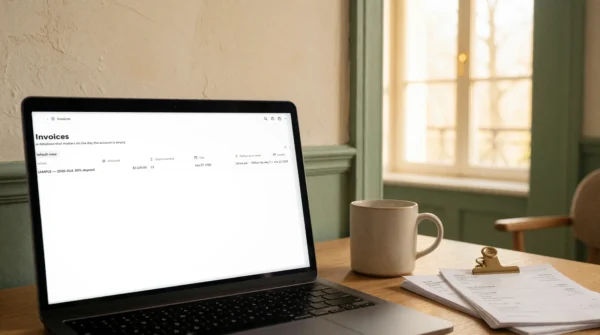







A Notion client project template for freelancers and studios: track missions, deliverables, time spent and overdue invoices in five linked databases, with the follow-up chosen by how many days late the payment is.
The work gets delivered. It is afterwards that the money leaks.
Not in the selling — you can sell. It is what comes after: the third round of revisions nobody was counting, the client review that took eleven days and still left you as the late one, the April invoice you discover in June was never actually sent.
None of these is a discipline problem. They are things that never had anywhere to be written down, and information with nowhere to live ends up in somebody’s memory, which is precisely where it disappears.
What is inside The Client Delivery Hub
Five linked databases, 41 fields, 5 live formulas. Nothing to install and no subscription: you duplicate the workspace into your own Notion and it is yours.
- Clients — the rate, the payment terms you actually granted, and who signs off on their side. Three facts that decide everything else.
- Missions — from signed quote to payment, with the fee, the promised date, and a counter of revision rounds included against rounds used.
- Deliverables — what the client actually receives, with a “waiting on the client” flag and what exactly you are waiting for.
- Time — one line per working session, entered the same evening. Divided into the project fee, it is your real hourly rate.
- Invoices — issued, due, paid, and the number of days overdue calculated for you.
The column that makes this one different
In the Invoices database, a formula reads the delay and writes the follow-up to send: the good-faith reminder at 7 days, the consequence at 14, the final notice at 30. You no longer decide the tone of a difficult email at eleven at night — the date decides, and you only have to write it.
It is also what connects this to the rest: The Proposal Kit wins the work, this hub delivers it, The Follow-Up Sequences gets it paid. Each one stands on its own.
The Friday routine
Five minutes, once a week, four questions: which invoice is overdue, what is stuck on the client’s side, where the revision rounds stand, and how many hours went into how much money. One page of the hub walks through it. It is the only habit this system asks for, and without it the whole thing becomes a handsome dead table within three weeks — better said now than discovered later.
Who The Client Delivery Hub is for
Independents and small teams delivering client work: studios, agencies, consultants, developers, designers, writers, photographers. It is built for one to five projects at a time — the size where a project management platform is too much machinery and memory is no longer enough.
What The Client Delivery Hub is not
It is not invoicing software: it tracks your invoices, it does not issue them and it calculates no tax. It is not automatic time tracking either: entry is manual, and deliberately so — thirty seconds in the evening produces a number you believe, which a week reconstructed from memory never is.
And one thing to know before buying: the views are yours to create. Notion does not let anyone ship ready-made views through a duplication. The databases arrive complete — fields, formulas, relations, one example row each — and you spend about five minutes adding the table, the calendar and two filters. The “Start here” page names exactly which ones, in order.
Included with The Client Delivery Hub
- The full Notion workspace — 5 linked databases, 41 fields, 5 formulas, duplicated in one click.
- Start here — what to fill in and in what order, plus the four views to create.
- The Friday routine — the four weekly questions, and what three months of them teach you.
- One realistic example row in every database, marked EXAMPLE, to delete once the format is clear.
Works on Notion’s free plan. One-time purchase, no subscription. Instant duplication, licensed for your own business and your clients’ work.


Reviews
There are no reviews yet.